FREE shipping on orders over US$200
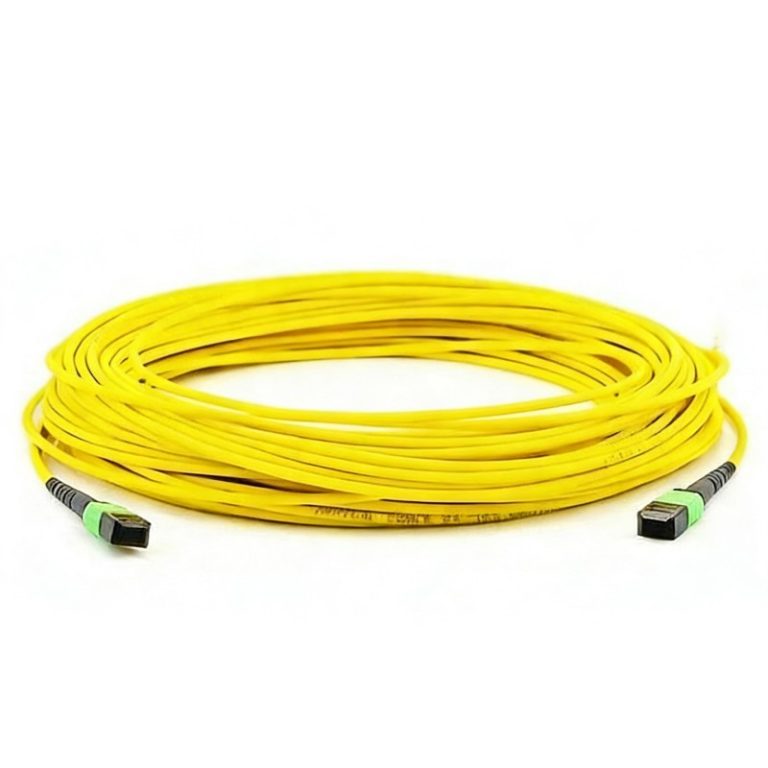
As data centers and enterprise networks move toward higher bandwidth and higher port density, fiber cabling systems must support faster deployment, easier maintenance, and more reliable performance. MPO cables are widely used in high-density optical networks because they can integrate multiple fibers into a single compact connector, making them ideal for 40G, 100G, 400G, and future high-speed network applications.
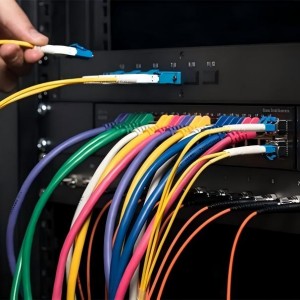
However, in dense patch panels, optical distribution frames, and switch ports, standard MPO connectors can be difficult to access by hand. When the space between ports is limited, technicians may accidentally pull the cable jacket, touch nearby connectors, or apply force in the wrong direction. These issues can increase the risk of connector damage, fiber stress, end-face contamination, and link instability.
An MPO cable with pull tab is designed to solve this problem. By adding an extended pull tab to the MPO connector, the cable becomes easier to insert and remove in high-density environments without pulling directly on the cable body. This improves installation efficiency, protects the connector, and simplifies future maintenance.
This article explains what an MPO cable with pull tab is, how it differs from a standard MPO cable, and how to choose the right one for data center, enterprise, telecom, and industrial fiber networks.
What Is an MPO Cable with Pull Tab?
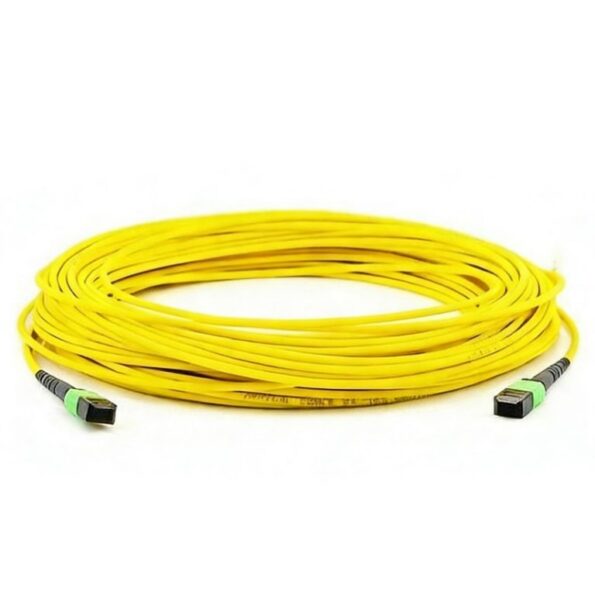
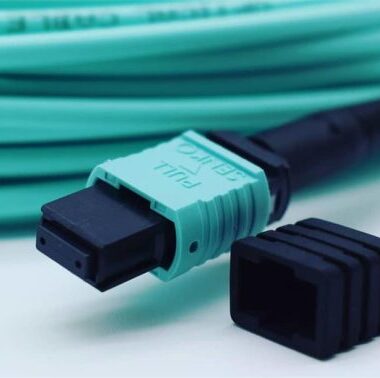
An MPO cable with pull tab is a multi-fiber optical cable assembly that uses MPO connectors equipped with an extended pull-tab structure. The pull tab provides a convenient grip point for inserting or removing the connector, especially when the connector is installed in a dense patch panel or a hard-to-reach equipment port.
The core structure of the connector remains the same as a standard MPO connector. It includes an MT ferrule, guide pins or pin holes, key orientation, connector housing, and latch mechanism. The pull tab is added to improve handling without changing the optical interface.
MPO cables with pull tabs are commonly available in different configurations, including:
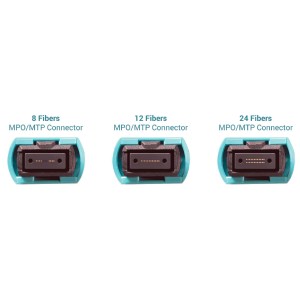
- 8-fiber, 12-fiber, 16-fiber, 24-fiber, and higher fiber counts
- OS2 single mode fiber
- OM3, OM4, and OM5 multimode fiber
- Female or male MPO connectors
- Type A, Type B, and Type C polarity
- Plenum, riser, LSZH, and other jacket options
- Trunk cables, patch cables, and breakout cable assemblies
Because these cables are factory-terminated and tested, they are suitable for fast deployment in structured cabling systems where stable optical performance and installation efficiency are both important.
Standard MPO Cable vs MPO Cable with Pull Tab
The main difference between a standard MPO cable and an MPO cable with pull tab is the connector handling design. Both can provide high-density multi-fiber connectivity, but the pull-tab version is easier to operate in confined spaces.
| Feature | Standard MPO Cable | MPO Cable with Pull Tab |
|---|---|---|
| Connector Access | Can be difficult in dense panels | Easier to grip and remove |
| Installation Efficiency | Standard installation speed | Faster handling in high-density racks |
| Cable Protection | Higher risk of pulling the cable jacket | Pulling force is applied through the pull tab |
| Maintenance | Less convenient in crowded ports | Easier for moves, adds, and changes |
| Space Requirement | Requires finger access around connector | Better for narrow port spacing |
| Best Use | General fiber links | Data centers, ODFs, and dense patch panels |
For low-density installations, a standard MPO cable may be sufficient. For high-density racks, data centers, or equipment rooms where connectors are frequently accessed, an MPO cable with pull tab is usually the better choice.
Key Benefits of MPO Cables with Pull Tabs
1. Easier Installation in High-Density Panels
High-density fiber panels and switch ports often leave very limited room between connectors. A pull tab gives technicians a clear handling point, allowing them to insert or remove the MPO connector without gripping the connector body directly.
This is especially useful in data centers, where hundreds or thousands of fiber connections may be installed in limited rack space.
2. Reduced Risk of Cable and Connector Damage
When a standard MPO connector is hard to reach, technicians may accidentally pull the cable jacket instead of the connector. This can create stress on the fiber, damage the connector housing, or affect the long-term reliability of the link.
The pull tab helps transfer the pulling force to the connector release structure rather than the cable body. This reduces the risk of fiber strain, connector deformation, and mechanical damage during installation or removal.
3. Better Maintenance Efficiency
Network upgrades, troubleshooting, and port changes are common in modern data centers. MPO cables with pull tabs make routine maintenance faster and cleaner because technicians can remove the correct connector more easily without disturbing adjacent ports.
This helps reduce service interruption time during moves, adds, and changes.
4. Improved Port Identification and Handling
In crowded patching areas, it is not always easy to identify and handle the correct connector. Pull tabs can improve visibility and accessibility, helping technicians manage links more accurately.
Some pull-tab designs can also be used with labels or color-coded cable management systems, improving traceability in large-scale fiber deployments.
5. Suitable for High-Speed Network Migration
MPO cables are widely used in high-speed network migration from 10G to 40G, 100G, 400G, and beyond. Pull-tab designs make these high-density fiber links easier to deploy and maintain, especially when used with MPO cassettes, adapter panels, breakout cables, and transceiver modules.
Common Applications
Data Center Cabling
Data centers are one of the most common application scenarios for MPO cables with pull tabs. These cables are used for high-density connections between switches, servers, storage systems, patch panels, and optical distribution frames.
They are especially useful in spine-leaf network architectures and high-speed cabling systems where fast deployment and clean cable management are required.
Common data center applications include:
- 40G QSFP+ links
- 100G QSFP28 links
- 400G QSFP-DD or OSFP links
- MPO-to-MPO trunk cabling
- MPO-to-LC breakout cabling
- High-density patch panel connections
- Pre-terminated cabling systems
Enterprise Backbone Networks
In enterprise buildings and campus networks, MPO cables with pull tabs can be used for backbone cabling between equipment rooms, floors, and network cabinets. The factory-terminated design reduces on-site installation time, while the pull tab makes handling easier in narrow racks or cable trays.
Telecom Equipment Rooms
Telecom networks often require dense optical distribution and frequent maintenance. MPO cables with pull tabs can be used in ODFs, central offices, access network equipment, and aggregation sites where space is limited and link reliability is critical.
Industrial and Special Communication Systems
In industrial communication environments, fiber cabling may be installed in control rooms, transportation systems, power facilities, or monitoring networks. Pull-tab MPO cables can help simplify installation and maintenance in confined or complex equipment spaces.
How to Choose the Right MPO Cable with Pull Tab
When selecting an MPO cable with pull tab, several parameters should be confirmed before ordering.
Fiber Type
Choose the correct fiber type according to the transmission distance and network equipment.
OS2 single mode fiber is suitable for long-distance transmission and high-speed single mode applications. OM3, OM4, and OM5 multimode fibers are commonly used for short-distance data center links.
Fiber Count
Common MPO cable fiber counts include 8, 12, 16, and 24 fibers. The correct fiber count depends on the transceiver type, cabling architecture, and whether the cable is used as a trunk, patch, or breakout assembly.
For example, 8-fiber and 12-fiber MPO assemblies are common in 40G and 100G applications, while 16-fiber MPO assemblies are often used in certain 400G and next-generation parallel optical links.
Connector Gender
MPO connectors are available in male and female versions. Male MPO connectors have guide pins, while female MPO connectors have guide holes.
Correct gender matching is important. Two male connectors or two female connectors cannot be directly mated correctly. The connector gender should match the adapter, cassette, transceiver, or existing cabling system.
Polarity
MPO polarity determines how transmit and receive fibers are mapped through the link. Common polarity types include Type A, Type B, and Type C.
Incorrect polarity can cause link failure, even if the connectors and fiber types are correct. Before ordering, confirm the required polarity according to the network design and equipment requirements.
Connector End Face
MPO connectors can use different end-face types, such as APC for single mode applications and PC/UPC-style options for multimode applications, depending on the product design and system requirements.
For single mode high-performance links, APC polishing is often used to improve return loss performance.
Cable Jacket
The jacket type should match the installation environment. Common options include LSZH, OFNR, and OFNP.
LSZH jackets are often used where low smoke and low toxicity are required. OFNR and OFNP jackets are selected according to riser or plenum cabling requirements.
Cable Length
The cable length should be selected based on the actual routing path, leaving enough margin for cable management but avoiding excessive slack. In high-density racks, proper length control helps improve airflow and maintain a cleaner cabling layout.
Installation Tips for MPO Cables with Pull Tabs
Proper installation is essential for maintaining stable optical performance.
Before installation, check that the cable type, fiber count, polarity, connector gender, and length match the project requirements. Inspect the connector housing and pull tab to confirm that there is no visible damage.
Always clean and inspect MPO connector end faces before mating. MPO connectors contain multiple fibers in one ferrule, so contamination on the end face can affect several channels at once.
When inserting the connector, align the key orientation with the adapter or port, and push the connector straight into the interface until it is fully latched. Avoid angled insertion, excessive force, or twisting.
When removing the connector, use the pull tab to release and withdraw the connector smoothly. Do not pull directly on the cable jacket.
During cable routing, avoid excessive bending, twisting, compression, or tension. Use proper cable management accessories to maintain bend radius and prevent stress on the connector.
Maintenance Recommendations
To ensure long-term stable operation, MPO cables with pull tabs should be handled and maintained carefully.
Keep dust caps on unused connectors. Clean and inspect connector end faces before every mating. Avoid touching the ferrule end face directly. Label each cable clearly for future troubleshooting and link management.
In high-density panels, organize cables according to port groups and routing direction. This reduces cable congestion, improves airflow, and makes future moves, adds, and changes easier.
If link loss increases or the connection becomes unstable, inspect the MPO end face first. In many cases, contamination is one of the most common causes of optical link problems.
Why Choose MPO Cables with Pull Tabs for High-Density Networks?
MPO cables with pull tabs provide a practical improvement for high-density fiber cabling systems. They do not change the basic function of the MPO connector, but they make installation and maintenance significantly easier in real-world rack environments.
They are especially valuable when:
- Port density is high
- Finger access is limited
- Cables are frequently changed or maintained
- Adjacent connectors are close together
- Link reliability is critical
- Clean cable management is required
- Fast deployment is important
For data centers, telecom networks, enterprise backbones, and high-density optical distribution systems, pull-tab MPO cables can help reduce handling errors, protect connectors, and improve operational efficiency.
Conclusion
MPO cables are essential components in modern high-density fiber optic networks. They support multi-fiber connectivity in a compact form factor and are widely used in data centers, telecom equipment rooms, enterprise networks, and high-speed optical systems.
An MPO cable with pull tab adds an important handling advantage to the standard MPO cable design. It allows easier insertion and removal in dense panels, reduces the risk of pulling on the cable, improves maintenance efficiency, and helps protect the connector during daily operation.
When selecting an MPO cable with pull tab, engineers should confirm fiber type, fiber count, connector gender, polarity, jacket type, length, and application requirements. A properly selected and installed MPO pull-tab cable can improve both network performance and long-term reliability.
FiberLife24 provides customized MPO/MTP cable assemblies for high-density optical networks, including OS2, OM3, OM4, and OM5 options, multiple fiber counts, selectable polarity, connector gender, jacket type, and pull-tab designs. For data center cabling, telecom networks, or customized fiber optic interconnection projects, Fiber-Life can provide reliable cable solutions according to your application requirements.