 FREE shipping on orders over US$200
In modern networking setups, Ethernet switches play a crucial role in managing data flow across multiple devices. However, a common concern among users is whether using a switch can reduce Ethernet speed. This article explores the factors influencing Ethernet speed, debunks myths about switches, and provides practical advice for optimizing network performance.
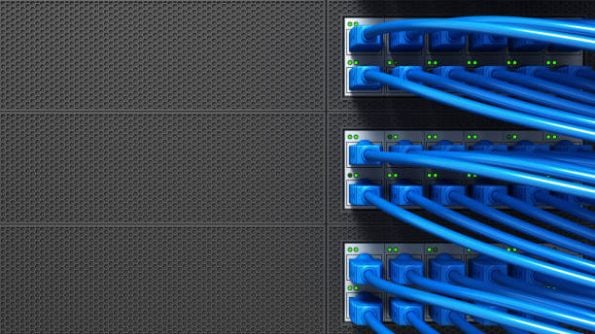
What Is an Ethernet Switch?
An Ethernet switch is a networking device that connects multiple devices within a local area network (LAN). It operates at Layer 2 of the OSI model, using MAC addresses to direct data to the correct recipient.
Types of Ethernet Switches
- Unmanaged Switches
- Basic plug-and-play functionality.
- No configuration required.
- Managed Switches
- Advanced features like VLANs, QoS, and port mirroring.
- Suitable for larger and complex networks.
Factors Affecting Ethernet Speed Through a Switch

1. Switch Port Speed
- Modern switches support speeds of 10 Mbps, 100 Mbps, 1 Gbps, or even 10 Gbps.
- Ensure that the port speed matches or exceeds the devices connected to it.
2. Network Congestion
- High traffic from multiple devices can cause bottlenecks.
- Managed switches help with traffic prioritization and load balancing.
3. Cable Quality
- Using outdated or damaged Ethernet cables can affect speed.
- Opt for Cat5e or higher for gigabit connections.
4. Duplex Mismatch
- A mismatch between full-duplex and half-duplex settings can result in slower speeds.
Myths About Ethernet Switches and Speed Reduction
Myth 1: Adding a Switch Always Slows Down the Network
Reality: A properly configured switch does not reduce speed. Issues arise from mismatched settings or insufficient bandwidth.
Myth 2: More Devices on a Switch Equals Slower Speeds
Reality: While adding devices increases traffic, managed switches can prioritize critical data to maintain performance.
Myth 3: Wireless Routers Are Always Faster
Reality: Ethernet connections via switches often provide more stable and faster speeds compared to wireless networks.
How to Optimize Ethernet Speed with a Switch
1. Choose the Right Switch
- Select a switch that supports gigabit or higher speeds.
- Managed switches are ideal for complex networks.
2. Use Quality Ethernet Cables
- Use Cat6 or Cat6a cables for best performance.
- Avoid using cables longer than 100 meters to prevent signal degradation.
3. Enable Traffic Management Features
- Configure Quality of Service (QoS) to prioritize important data streams.
4. Regular Maintenance
- Update switch firmware for enhanced performance and security.
- Monitor network traffic for anomalies.
Case Study: Fiber-Life’s Ethernet Solutions in Action
Scenario
A medium-sized enterprise struggled with network slowdowns during peak hours due to unmanaged switches and outdated cabling.
Solution
- Upgraded to Fiber-Life’s Gigabit Managed Ethernet Switches.
- Replaced old Cat5 cables with Fiber-Life Cat6a Patch Cables.
- Implemented VLANs and QoS for optimal traffic management.
Results
- Improved overall network speed by 40%.
- Eliminated bottlenecks during high traffic periods.
- Enhanced scalability for future growth.
Choosing Fiber-Life for Your Networking Needs
Fiber-Life provides a wide range of high-quality networking products to optimize your Ethernet setup:
- Gigabit and 10-Gigabit Switches: Perfect for small to large networks.
- Cat6a and Cat7 Patch Cables: Ensures high-speed data transfer with minimal interference.
- Managed Switches with QoS and VLAN Support: Tailored for professional setups.
Visit Fiber-Life’s website to explore our product line and elevate your network performance today!